
Key updates for October 2026
Here's what's included in the update released on October 11.
| JavaScript API (App) | You can now show or hide the "Add row" and "Delete this row" buttons in "Table" fields, and retrieve their display state |
|---|
| New features under consideration |
|---|
| Changes to update options |
|---|
For details on the API updates, see the "API Updates" page. kintone API updates made during maintenance
The contents of this update are current as of the date of publication and are subject to change.
JavaScript API (App)You can now show or hide the "Add row" and "Delete this row" buttons in "Table" fields, and retrieve their display state
| Show or hide the "Add row" button (desktop) | kintone.app.record.showAddTableRowButtons() |
| Show or hide the "Add row" button (mobile) | kintone.mobile.app.record.showAddTableRowButtons() |
| Show or hide the "Delete this row" button (desktop) | kintone.app.record.showDeleteTableRowButtons() |
| Show or hide the "Delete this row" button (mobile) | kintone.mobile.app.record.showDeleteTableRowButtons() |
| Retrieve the display state of the "Add row" button (desktop) | kintone.app.record.getAddTableRowButtonsDisplayState() |
| Retrieve the display state of the "Add row" button (mobile) | kintone.mobile.app.record.getAddTableRowButtonsDisplayState() |
| Retrieve the display state of the "Delete this row" button (desktop) | kintone.app.record.getDeleteTableRowButtonsDisplayState() |
| Retrieve the display state of the "Delete this row" button (mobile) | kintone.mobile.app.record.getDeleteTableRowButtonsDisplayState() |
New features under consideration
Here are the features we're currently considering.
You can try them out by enabling them on the Update options screen in kintone administration.
| Platform | Further improvements: - Front-end infrastructure update (space and thread screens) |
|---|---|
| REST APIs | The API for searching across kintone now supports searches that include related terms |
* Note that features under consideration may have their specifications changed, or be added to or removed from the "Update options" screen, at any time — not only during regular maintenance.
PlatformFurther improvements:
- Front-end infrastructure update (space and thread screens)
- Front-end infrastructure update (space and thread screens)
Improvements to the rich text editor's display and usability
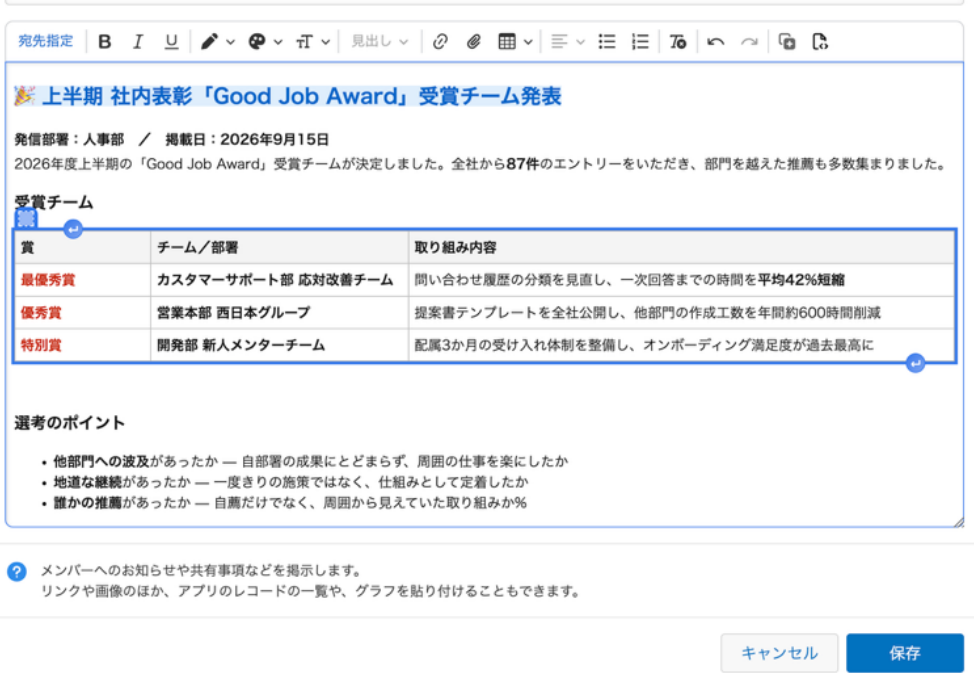
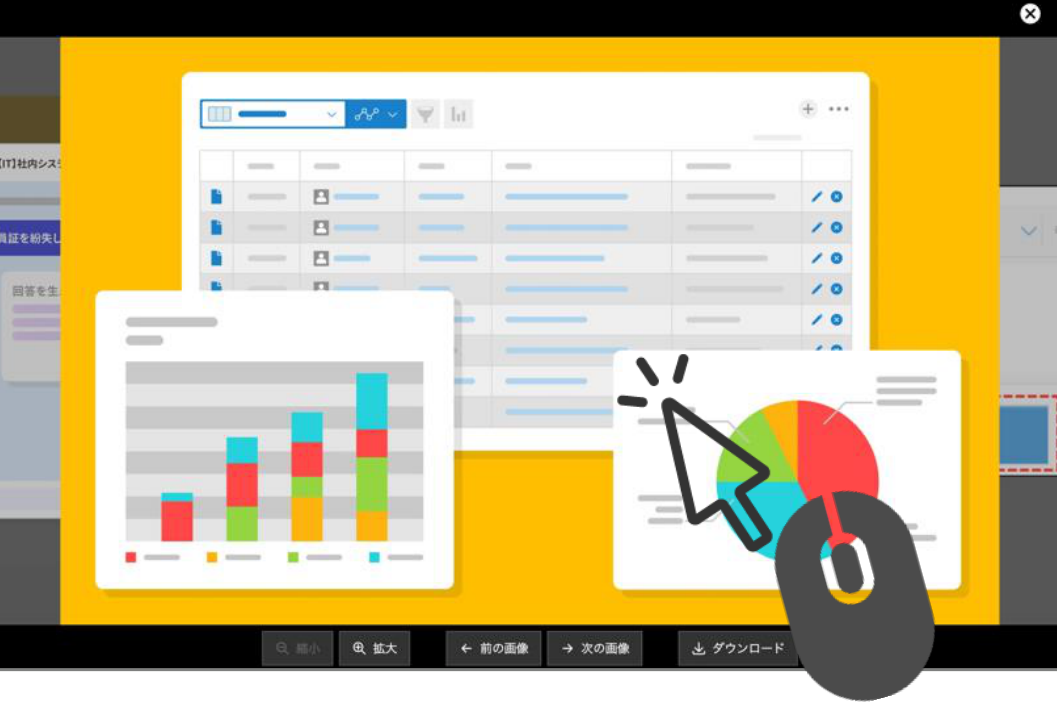
Improved usability for image slideshows
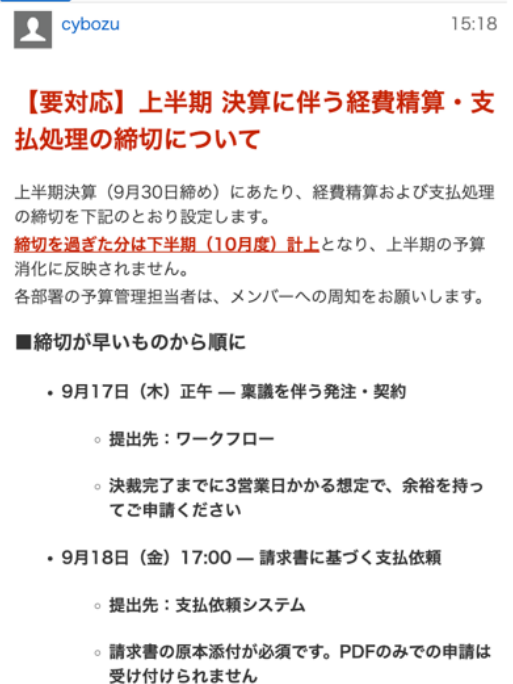
Improved mobile display
We've also made a number of other improvements since release.
Posting and display
- Long text no longer breaks the layout — you can now scroll horizontally to read it comfortably.
- Fixed an issue where posts opened from a notification would appear twice
- Prevented accidental double-posting caused by misclicking the "Post" button
Images and files
- Faster loading for threads with a lot of images
- Links set on an image now support "Open in new tab"
- Fixed heading sizes changing unexpectedly when content is copied over using a thread action
Keyboard and assistive technology
- Screen readers can now read mention suggestions aloud
- Improved focus movement with the Tab key, and focus handling when editing alt text
- The thread list now opens in a new tab with Ctrl+click (Command+click)
REST APIsThe API for searching across kintone now supports searches that include related terms
| All-contents search API | [POST] | /k/v1/search.json |
You can combine it with other search conditions, like sorting by relevance or specifying which apps and spaces to search.
We'll keep working on ways to improve and expand search conditions and results.
Changes to update options
| Disable new features | ||
|---|---|---|
No change Ability to use OR search | Can be disabled until the November 2026 scheduled update. | |
No change Enhanced JavaScript API support (June 2026 version) | ||
No change Front-end update for the header and global navigation bar in the mobile-optimized view | ||
No change Notifications for updates to records being viewed or edited | Can be disabled until the November 2026 scheduled update. | |
No change Sort search results by relevance | ||
No change Add filter conditions on the "App management" screen | ||
No change Switch between the classic and new "Notifications" screens | ||
No change JavaScript API field change event for lookup fields | Can be disabled until the November 2026 scheduled update. | |
No change Front-end update for "Assigned to me" and settings screens (mobile view) | ||
No change Front-end update for the search screen (mobile view) | ||
No change Disable "Ability to include or exclude apps and spaces in the search scope" | Can be disabled until the February 2027 scheduled update. | |
No change Disable "Additional items available as filter conditions on the App management screen" | ||
No change Disable "Front-end infrastructure renewed for the top page of the App settings screen" | ||
New Disable "JavaScript API for changing and checking the display status of the Add row/Delete row buttons in Table fields" | Can be disabled until the February 2027 scheduled update. | |
| Preview upcoming new features | ||
None | ||
| New features under consideration | No change Improved kintone Administration Design ("Header Color" Screen Design and Layout Change) | |
No change Front-end updates to "Create from Excel" app creation screens and changed import error handling | ||
No change Front-end update for the "Portal" screen (desktop and mobile views) | ||
Content update Enable "Front-end infrastructure renewed for the desktop and mobile Space/Thread screens" | ||
No change Front-end updates to "Create from CSV" app creation screens and changed import error handling | ||
Content update Enable "REST API for searching across kintone" | ||
No change Front-end update for People pages and the "Messages" screen (desktop and mobile views) | ||
No change Front-end updates to the "Exported files" screen | ||
No change Front-end updates to the "Export aggregation result to file" screen | ||
No change Enable "Ability to visualize how long records stay in each status" | ||
No change Enable "Front-end infrastructure renewed for the 'Export to file' screen" | ||
Note that these features may be modified outside of scheduled updates. Check the "Update options" screen for the latest status. | ||
For details on how update options work and on each of the features currently available, refer to the following Help pages.
| Disable new features | |
|---|---|
No change Disable "Use the new method when connecting to an external mail server" | Can be disabled until the December 2026 scheduled update. |
For details on how update options work and on each of the features currently available, refer to the following Help pages.