
Deleting a space
Delete spaces that are no longer needed.
Spaces can be deleted only by space administrators and kintone Administrators.
Spaces can be deleted from either of the following:
- If you are a space administrator, you can delete a space from its Options menu.
- If you are a kintone Administrator, you can delete spaces from kintone Administration.
For details on how to delete spaces, refer to the following page:
Deleting Spaces on the "Space Management" Screen.
This article covers how to delete a space from its Options menu.
Deleting a Space from OptionsMenu
-
Navigate to the space you want to delete.
-
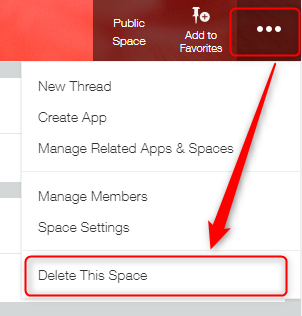
Select Delete This Space from the Options icon at the upper right of the space screen.
-
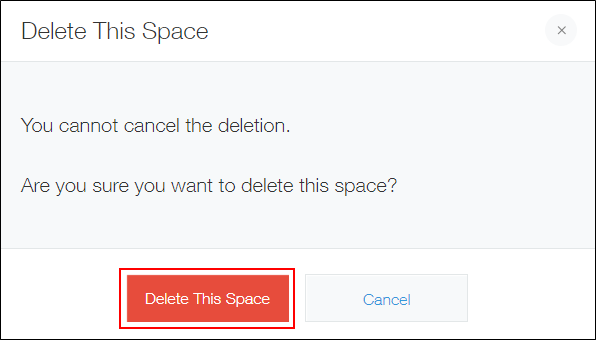
Click Delete This Space on the confirmation dialog.
-
If the confirmation dialog appears again, click Delete App.