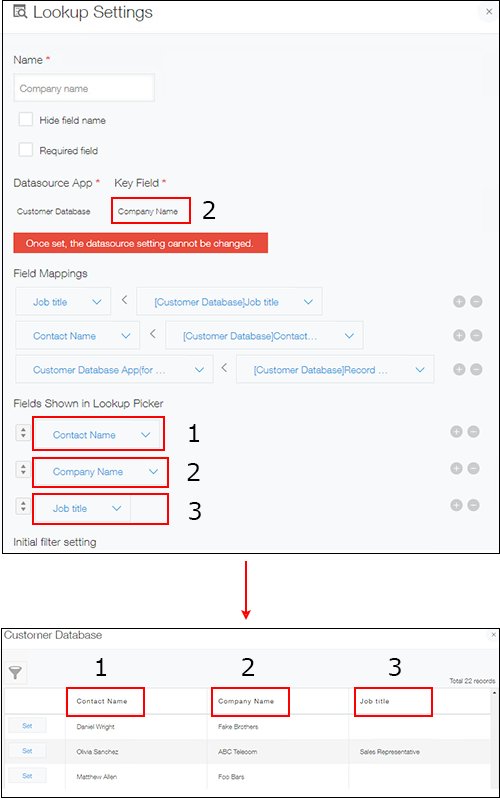
I configured a Lookup, but the display order of the fields on the Record selection screen is not in accordance with the Lookup settings
If the field specified as the key field is not included in Fields shown in Lookup picker, the field is displayed in the leftmost column on the record picker dialog.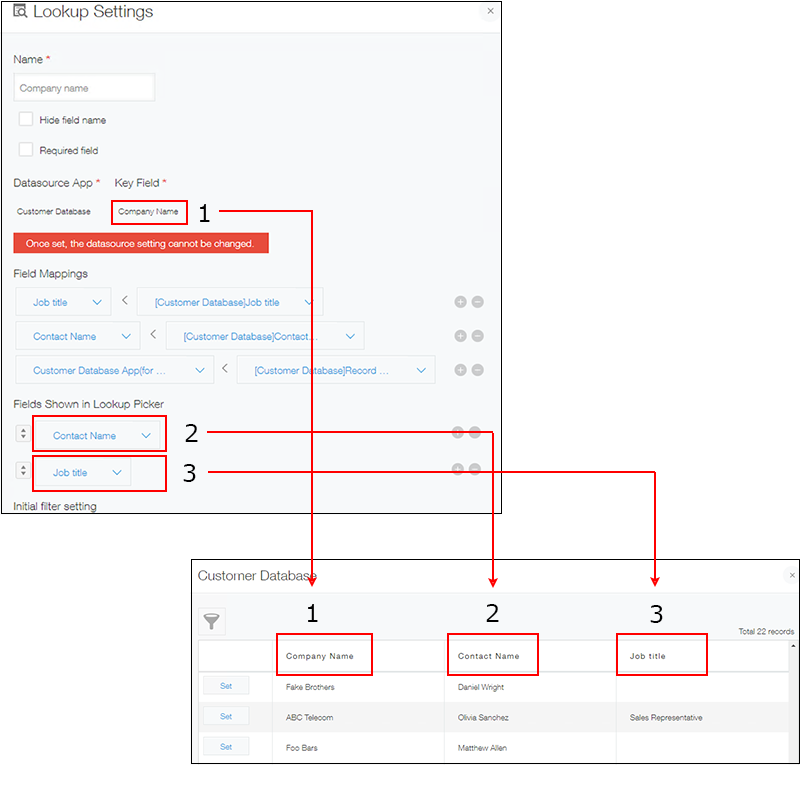
If you want to display the field specified as the key field in any column other than the leftmost column, you first need to include the field in Fields shown in Lookup picker and then configure the display order.