
Managing apps using an app list in CSV format
On the App management screen, you can download a list of apps for which you have administrative permission as a CSV file. Note that only cybozu.cn administrators can download this list.
Downloading a list of your apps in CSV format
The list of apps in CSV format can be used to keep a record of the apps that currently exist at any given point, analyze the usage of apps, and as a reference for organizing or deleting apps.
The following are the examples of what you can do with the downloaded CSV file.
Use Excel for easier management of apps
You can open the exported CSV file in Excel for various purposes. For example, you can sum up the number of apps created by each user, or filter apps by using the number of records/last updated datetime as filter condition, to check the app usage statuses.
You can also add a field for app descriptions so you can know what each app is used for without opening it.
Create an app management app
You can use the downloaded CSV file to create an app for managing your apps.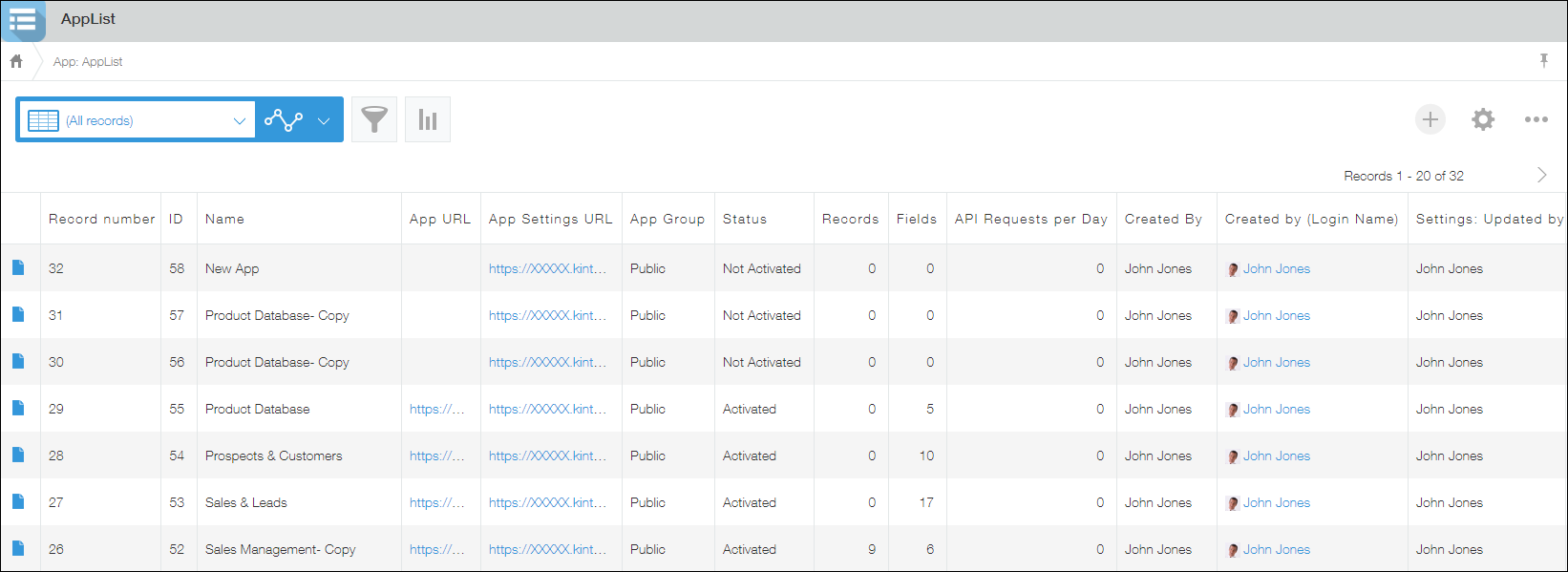
It is useful when you want to combine filter conditions (for example, number of fields, last updated datetime) to check whether there is any app which is no longer used.
You can also open apps using app URLs to check their contents, and delete unnecessary apps.
Importing record data from a file into an app
How to create an app
Follow the steps described on the following page to import a CSV file containing the list of apps.
Details of the steps to create an app from a CSV file
Since the character encoding of the imported CSV file is "UTF-8 with BOM," you need to set the character encoding to Unicode (UTF-8) on the preview screen.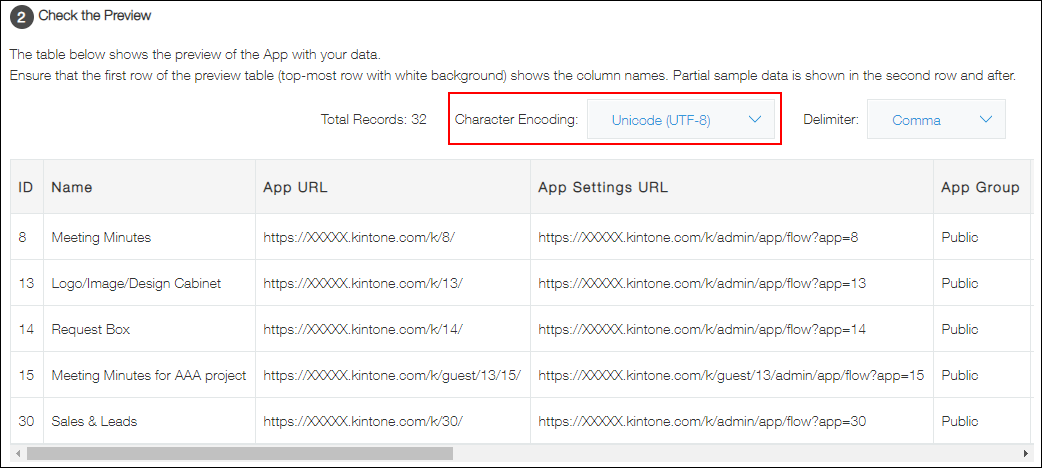
Then, check if auto-suggested field types are correct.
To associate
Created by (Login Name) and Settings: Updated by (Login Name) with user information, set the field type for these items to User selection.
If there are some items you do not want to import into the app, select (Skip this row) for the items.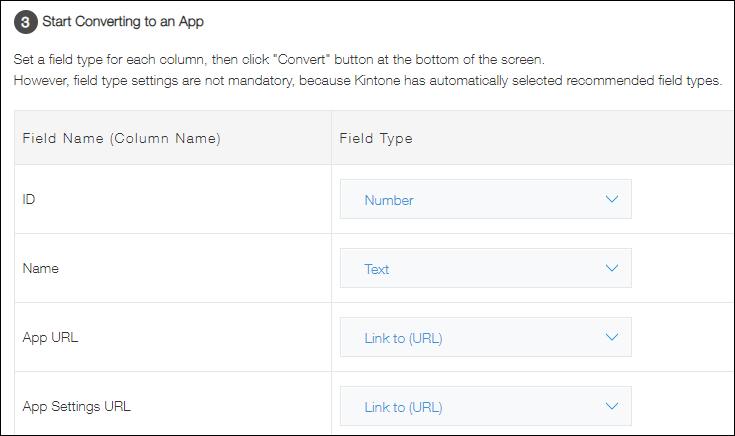
Click Create to complete the app creation.