Applying data at a scheduled date and time
This page describes the steps to specify the date and time for applying the pre-registered data to cybozu.cn in Tentative reorganization.
Date and time to apply
You can specify the date and time for applying the pre-registered data to cybozu.cn within one month from the current date. You can specify the time in 30-minute increments.
The pre-registered data is applied based on the system time zone settings. Specify the date and time when your business is not affected. Additionally, make sure you avoid the scheduled maintenance of cybozu.cn when performing the process.
Specifying the date and time to apply
-
Access cybozu.cn administration.
Accessing cybozu.cn administration -
Click Tentative reorganization.

-
In When to be applied, select Specify the date and time.

-
Select date and time.
-
Click Set.
-
Check the date and time displayed in the dialog, and then click OK.
Changing the date and time to apply
The specified Date and time is displayed on the Tentative reorganization screen.

When the process of applying the data has not yet started, you can change the date and time by clicking Change.
Click Reset to cancel the specified date and time.
Checking if the pre-registered data has been applied
Check the audit log to confirm the pre-registered data has been applied. For details on the generated audit logs, refer to the following page:
Tentative reorganization
A message is also displayed on the Departments & users screen.
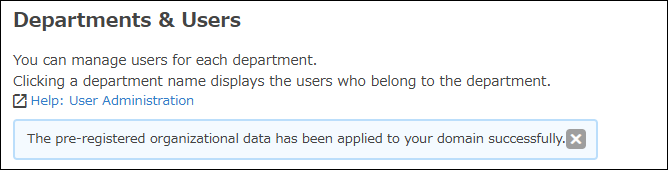
If one of cybozu.cn administrators deletes this message, it will no longer be visible to other administrators.