Checking for changes in the pre-registered data
This page describes how to check for differences between the existing data and the pre-registered data that you have prepared.
Checking the pre-registered data of departments
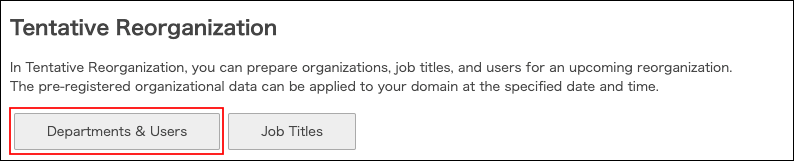
On the Tentative reorganization screen, click Departments & users.
How to check changes
By clicking a button displayed above the department tree, such as Deleted, you can check the department names and the number of departments for each change.
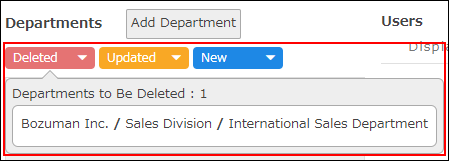
- Deleted
- Departments to be deleted in the pre-registered data.
- Updated
- Departments whose information to be changed in the pre-registered data.
If just members in a department or its display order is changed, the department is not displayed in Updated. - New
- Departments to be added in the pre-registered data.
Checking the pre-registered data of users
On the Tentative reorganization screen, click Departments & users.
How to check changes
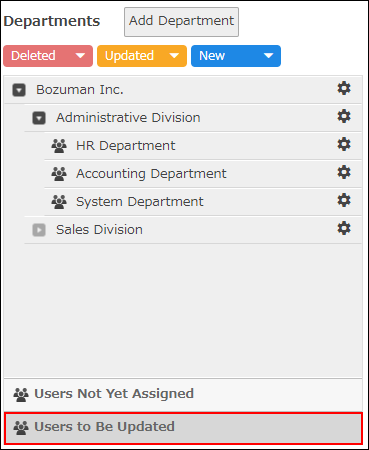
For a user who has been registered with some changes, Updated appears at the beginning of the user's display name.

By clicking Users to be updated, you can filter only users whose information has been changed.
Checking the pre-registered data of job titles
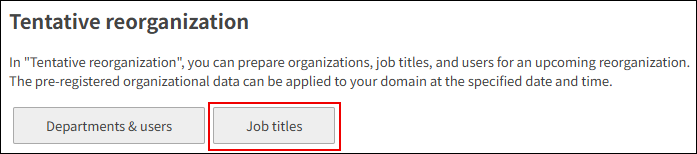
Click Job titles.
How to check changes
By clicking a button displayed above job titles, such as Deleted, you can check the job title names and the number of job titles for each change.
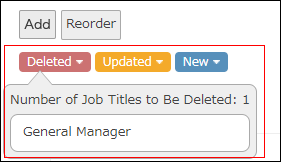
- Deleted
- Job titles to be deleted in the pre-registered data.
- Updated
- Job titles whose information to be changed in the pre-registered data.
If just members in a job title or its display order is changed, the job title is not displayed in Updated. - New
- Job titles to be added in the pre-registered data.