What is the Administrator?
The Administrator is a special user automatically registered by the system.
Limitations and characteristics of the "Administrator"
The Administrator has the following characteristics and limitations:
- The Administrator account cannot be deleted.
- The Administrator cannot be removed from the cybozu.cn administrators.
- The Administrator does not consume your license.
Can we use the "Administrator" as a normal user?
The
Administrator is used with the Data Migration Tool.
Please refrain from changing the user information or using it as an application user.
The status of the Administrator should be kept in Inactive unless otherwise instructed.
Changing status of the "Administrator" to "Active"
To use the Data Migration Tool, follow the steps below to change the status of the Administrator to Active.
-
Access cybozu.cn administration.
Accessing cybozu.cn administration -
Click Departments & users.
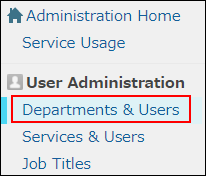
-
Click the Change button.

-
In the Account status section, set Status to Active.

-
In the Account section, click Change password to set a password.
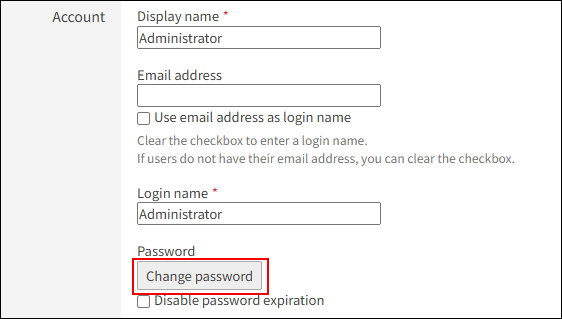
For details on how to change a password, refer to the following page:
Changing user passwords -
Click Change user information.